Everything You Need to Manage Cloudflare at Scale
Connect multiple Cloudflare accounts and manage every zone from a single dashboard. Import domains, sync DNS records, and control security with a clean, intuitive workflow. Bulk search and change DNS records across multiple domains instantly.
2,000+ teams trust our platform
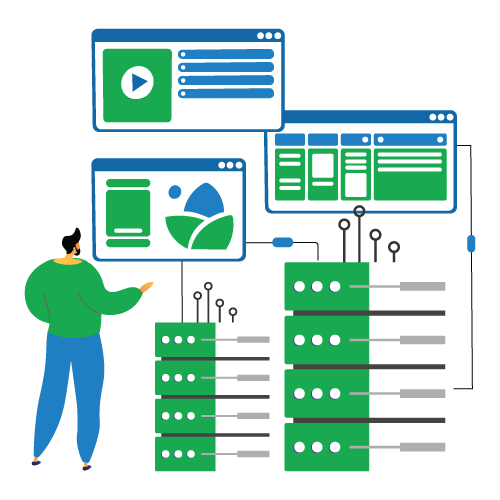
Complete Cloudflare Management
Everything you need to manage your Cloudflare infrastructure efficiently.
Domains & DNS Sync
Import domains from Cloudflare and manage DNS records from a single dashboard. Keep your domain inventory organized and in sync.
- A, AAAA, CNAME, MX records
- TXT, SRV, CAA records
- Bulk operations & sync
- Import/Export support
Domain Management
View and manage all your domains across multiple Cloudflare accounts in one unified interface.
- Multi-account domain listing
- Quick domain switching
- Domain status monitoring
- Bulk domain actions
Security & Firewall
Manage key Cloudflare security settings per domain—firewall controls, security levels, and bot protection.
- Firewall rule management
- Security level controls
- IP access rules
- Security insights
SSL Certificate Management
Manage SSL/TLS settings per domain to enforce the right security posture for every domain.
- SSL mode configuration
- Certificate monitoring
- Per-domain controls
- Quick verification
Bot Management
Control bot protection options per domain—tune Bot Fight Mode and related protections.
- Bot Fight Mode
- Block AI bots
- AI Labyrinth
- Per-domain settings
Speed & Caching
Control performance and caching settings to improve load times and reduce origin load.
- Caching controls
- Speed settings
- Development mode
- TTL configuration
Turnstile Management
Create and manage Cloudflare Turnstile sites to protect forms without annoying CAPTCHAs.
- Turnstile site creation
- Domain integration
- Quick form setup
- Centralized management
Analytics & Insights
View traffic and performance insights per domain to spot issues and make data-driven decisions.
- Traffic analytics
- Performance insights
- Security insights
- Domain monitoring
Rules & Automations
Manage Cloudflare rules from one place—configure page rules and settings without leaving your workflow.
- Page rules management
- Rule create/update/delete
- Background sync jobs
- Settings automation
Multi-Account Workspace
Add multiple Cloudflare accounts and manage all domains from a single workspace—perfect for agencies.
- Unlimited accounts
- Centralized domain list
- Fast account switching
- Team collaboration
Custom Pages & Rules
Create and manage custom pages, error pages, and advanced routing rules for better user experience.
- Custom error pages
- URL forwarding rules
- Origin rules setup
- Bulk rule management
Activity Logs & Audit
Track all changes with detailed activity logs and maintain audit trails for compliance and debugging.
- Complete change history
- User activity tracking
- Exportable logs
- Compliance reporting
Up and Running in Minutes
Connect your Cloudflare accounts and manage everything from one place.
Connect Your Account
Add your Cloudflare API token or Global API Key. Supports both token and key authentication.
Import Domains & DNS
All your domains are imported automatically. DNS records sync in real-time from Cloudflare's API.
Manage Everything
Create rules, tune security, purge cache, manage SSL — all from your unified dashboard.
Monitor & Automate
Track analytics, set up background sync jobs, and keep your domains always up to date.
Transform Rules & URL Rewrites
Build powerful request and response manipulation rules directly from the dashboard — no Cloudflare dashboard tab-switching needed.
-
Request Header Transform Add, remove, or modify HTTP request headers per domain with expression-based targeting.
-
Response Header Transform Set or remove response headers to control caching, CORS, and security policies.
-
URL Rewrite Rules Rewrite paths and query strings using Cloudflare's filter expression language.
-
Configuration Rules Toggle domain-level settings — HTTPS rewrites, browser checks, email obfuscation, minify, and more.
(http.request.uri.path contains "/api")
set X-Frame-Options: DENY
(http.request.uri.path wildcard "/old/*")
rewrite → /new/{1}
(http.host eq "example.com")
automatic_https_rewrites: on
Cache Management & Speed Optimization
Purge cache, toggle minification, and control speed settings across all your domains without leaving the panel.
-
One-Click Cache Purge Purge everything or target specific files and cache tags per domain instantly.
-
Minification Controls Toggle CSS, JS, and HTML minification independently per domain.
-
Development Mode Enable dev mode to bypass cache while testing, then disable with one click.
-
Speed Settings Configure Rocket Loader, Brotli compression, Polish, and Mirage per domain.
vs Managing Cloudflare Manually
See what you gain by centralizing your Cloudflare workflow.
Ready to Transform Your Cloudflare Workflow?
Join 2,000+ teams who manage their Cloudflare infrastructure smarter. Start free, no credit card required.